
DXF to DWG Converter
Yes, you can convert DXF to DWG in your browser without AutoCAD or any other CAD program. You choose the DWG version and download a binary DWG. The tool is free, needs no account, and the drawing is not uploaded. It converts one file at a time, and files up to 200 MB are accepted.
Free · runs in your browser · nothing is uploaded
This free DXF to DWG converter turns a DXF drawing into a binary DWG file inside your browser tab. You choose a .dxf file, check that it opened, pick the DWG version and download the .dwg, with no account or sign-up. The drawing is written to the new file as a whole, so layers, blocks and objects carry over, not only what is drawn on screen. The drawing is never uploaded, which keeps confidential files private. ASCII and binary DXF files are read, one file at a time. The DWG is written with an open-source writer, so check it in your CAD program before you rely on it.
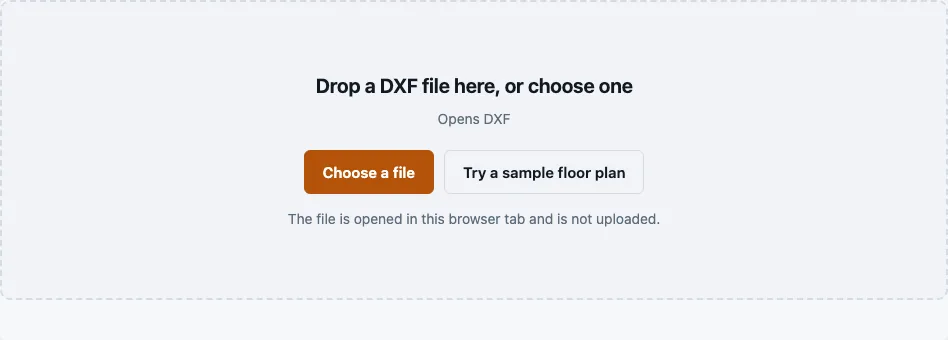
Open the converter, choose your DXF file with the file picker, and check the drawing before you press Download DWG.
At a glance
DXF to DWG converts a DXF drawing into a binary DWG file inside your browser tab. You choose the DWG version, and the drawing is not uploaded.
- R2018 is the default DWG version, and an older release is picked only if your CAD program cannot read R2018.
- Files up to 200 MB are accepted, and the tool handles one file at a time.
- The drawing reader is downloaded the first time you open a file, at about 0.7 MB compressed.
- The converter is a second download of about 1 MB, and it is fetched only when you press Download DWG.
Last checked:
How to convert DXF to DWG
- Open the DXF file with the file picker at the top of this page.
- Wait for the drawing reader to load. It is downloaded the first time you open a file, at about 0.7 MB compressed.
- Look at the drawing and the layers panel to confirm it is the right file and that it drew as you expect.
- Open the Export tab, where DWG is already selected.
- Choose the DWG version. R2018 is the default; pick an older release only if your CAD program cannot read it.
- Press Download DWG. The converter is a second download of about 1 MB that is fetched only at this point. The tool shows the size of the file it saved.
- Open the saved .dwg in your CAD program, or in the DWG viewer on this site, and compare the layers and the overall size with the DXF before you send it on. If your program warns about the file, try another DWG version in step 5 and save again.
If the drawing looks wrong already in step 3, fix it first. The DWG is written from the same drawing you see, so a missing layer or wrong units in the viewer will be missing or wrong in the file too.
Can I convert a DXF file to DWG without AutoCAD?
Yes. This tool reads the DXF in your browser tab and writes a binary DWG file with an open-source DWG writer compiled to WebAssembly. No CAD program is needed and nothing is sent to a server.
DXF is Autodesk’s documented exchange format, stored as text or binary, and almost every CAD, CAM and laser program reads it. DWG is Autodesk’s own binary drawing format. The same drawing is usually smaller as DWG. In a test with a sample floor plan, the 28 KB R2018 DWG and the 18 KB R2004 DWG were written from the same DXF.
Which DWG version should I choose?
Pick the oldest release that still holds what you need, because older programs cannot open newer files. If you do not know, keep R2018, which current CAD programs read.
| Version | Code | Pick it when |
|---|---|---|
| R2018 | AC1032 | The receiving program is current (default). |
| R2013 | AC1027 | Your software reads R2013 but not R2018. |
| R2010 | AC1024 | Your software reads R2010. |
| R2004 | AC1018 | You need a smaller file, or your software reads R2004. |
| R2000 | AC1015 | An older program must open the file. |
The receiving program’s documentation decides. Older versions cannot hold some newer object types, and the tool then says what it could not write instead of saving a broken file.
Is the DWG the same as the DXF?
It holds the same drawing. In our test on six drawings (R12 to R2018, ASCII and binary), each DWG was opened again with this site’s reader, and the entity count and the total length were identical to the DXF. This is a check of geometry, not of how a particular CAD program shows it. A DWG saved as a DXF again may differ in small details, such as the order of objects.
How this tool works and where the numbers come from
Each output DWG was opened again with the site’s own DWG reader in tests; the entity count and the total length per drawing matched the DXF it came from. Opening in AutoCAD or other CAD programs was not tested.
Sources
Questions and answers
Is the DXF to DWG converter free?
Yes. It is free, needs no account, and handles one file at a time. Files up to 200 MB are accepted.
Is my drawing uploaded?
No. The drawing is read and written in your browser tab, and it is never part of any request. For the tool itself the browser downloads only the page, the drawing reader and the converter.
Which DXF versions can it read?
The round-trip tests used R12 (ASCII), R2000 and R2018 in ASCII, and R2018 in binary. Other DXF versions go through the same reader but were not part of the test set, so check the result.
Will the DWG open in AutoCAD?
We checked the DWG by reading it back with this site’s own reader. We did not test AutoCAD or other CAD programs, so open the file in yours before you rely on it.
Why can a version fail to save?
Some objects, such as certain custom data tables, cannot be encoded in every release. The tool then shows the reason, and you can try R2018 or another version.
Can I convert DWG back to DXF?
Yes, on the DWG to DXF page of this site. Open the DWG there and download a DXF in the version you need.
Does it keep layers and blocks?
Yes. The whole drawing is written, not only what is visible, so layers, blocks and their objects are in the DWG. Paper-space layouts and external references are not drawn on screen, so check them in your CAD program.
Which DWG version is selected by default?
R2018 is the default version. Pick an older release only if your CAD program cannot read R2018. The receiving program’s documentation decides which version it reads. If you are not sure, keep R2018, which current CAD programs read. The version table on this page lists each release with its code.
Related tools
- DWG to DXF: use it for the other direction, a DWG you need as DXF.
- DXF viewer: use it to check layers and geometry before you convert.
- DXF to SVG: use it when you need a vector SVG rather than a DWG.
- DXF to PDF: use it when the drawing only has to be printed or shared.
- DWG viewer: use it to open the DWG you just saved and look at it.
- PDF to DXF: use it when your source is a vector PDF.